AARON
LIMBU

Redesigning EyeCare 20-20-20
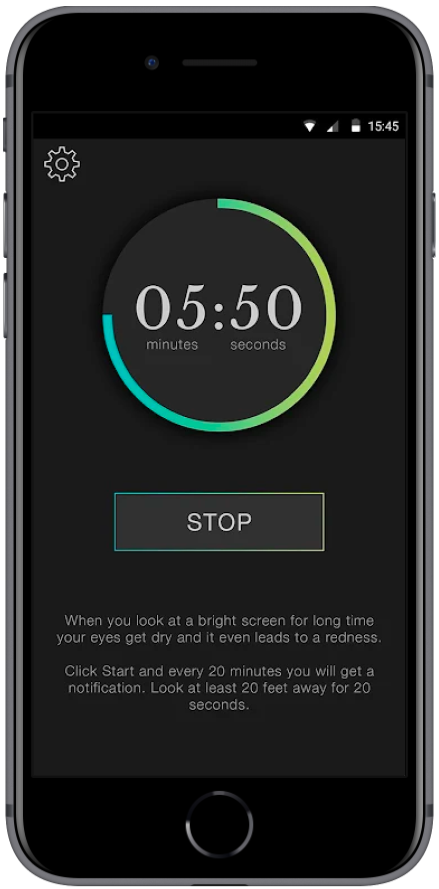
Before
The problem
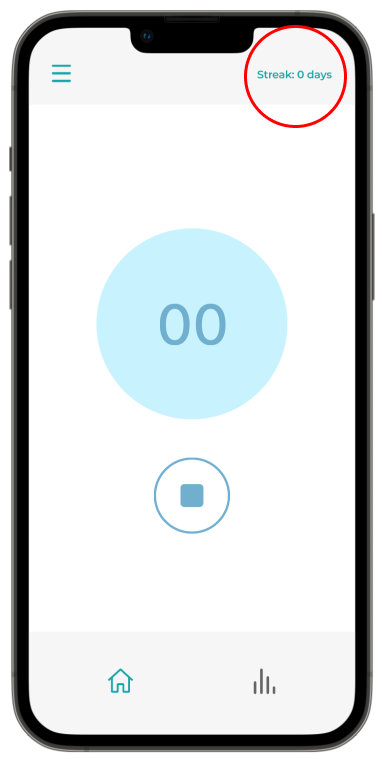
After using this app for a while, I discovered:
Lack of:
- user control in the product,
- motivation to use the app,
- an inclusive design appeal
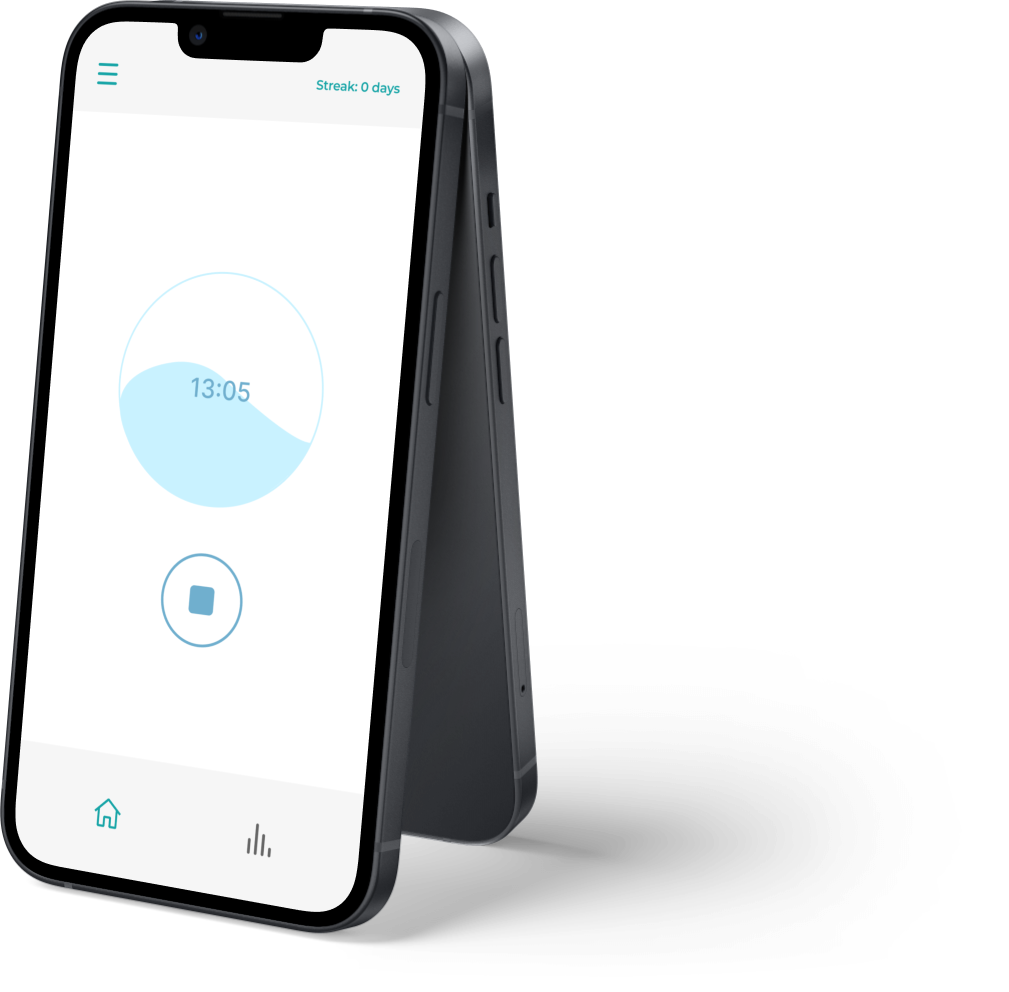
After
What is EyeCare 20-20-20?
An app that reminds users to take a break from their digital screens every 20 minutes and look at something 20 feet away for 20 seconds.


Project overview

Eye Care was designed to help people avoid eye strain. In this case study, I showcase how I achieved my goal of determining how to increase accessibility to the application's overall functionality.

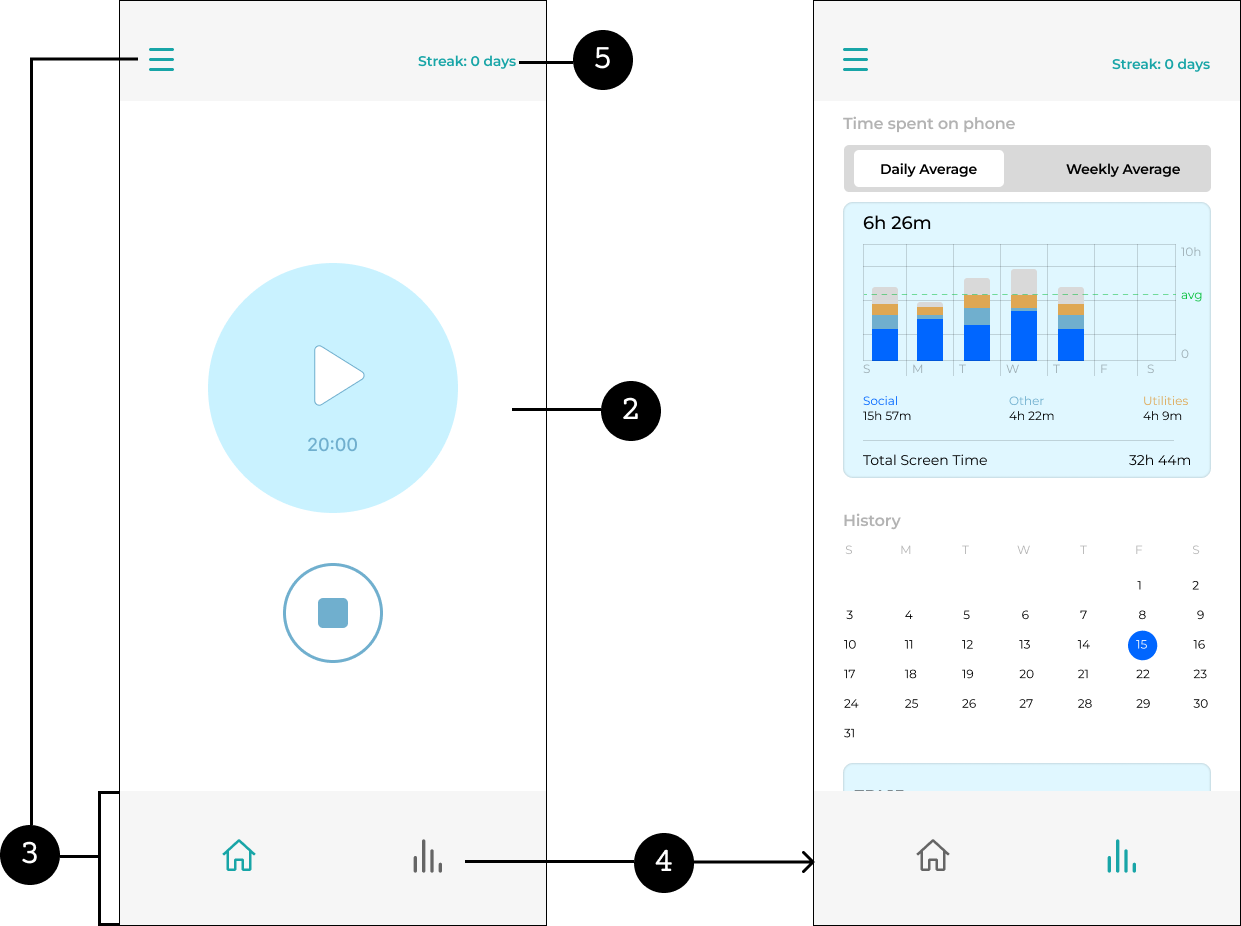
For the redesign, I focused on enhancing user interaction by introducing user onboarding, bottom navigation bar, report section and streaks to name a few.

Timeline

July 2022

Role

UX/UI designer

Tools

Figma
Notion
Planning phase for the project (click to open)

Design process

1. Research
2. Ideate and Design
3. Test

1. RESEARCH

Phase 1: For this phase I interviewed 4 potential users who had not used the app for unbiased views
Phase 2: For this phase I looked into the reviews and feedback in the Apple app store and Google play store

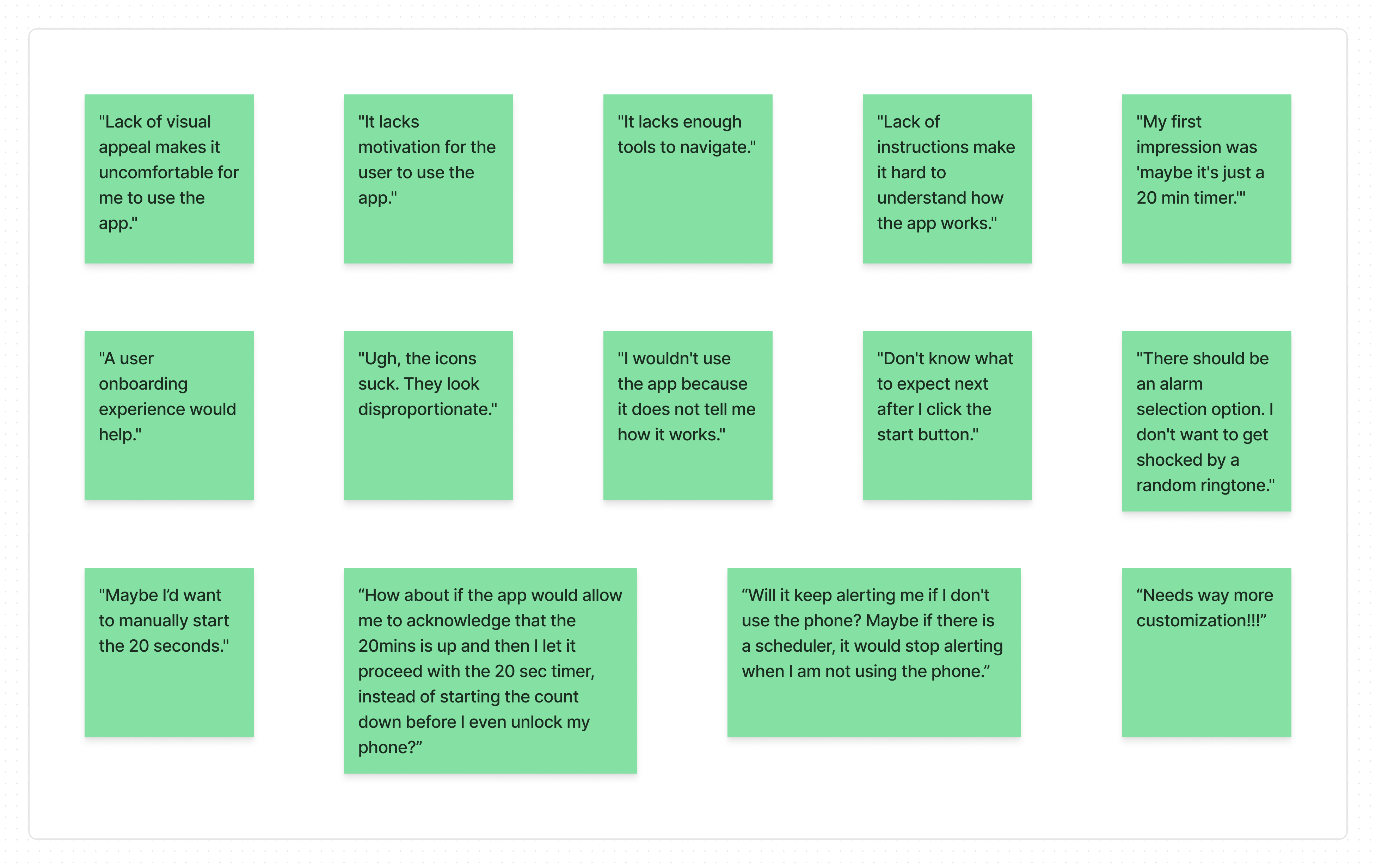
Key user research findings showed similar constraints to mine:
Lack of visual appeal,
Not sure how the app functioned,
Lacking ability to extend screen time and break duration
=
Personal experience with the app:
Lack of user control,
Lack of motivation to use the app,
Lack of an inclusive design appeal

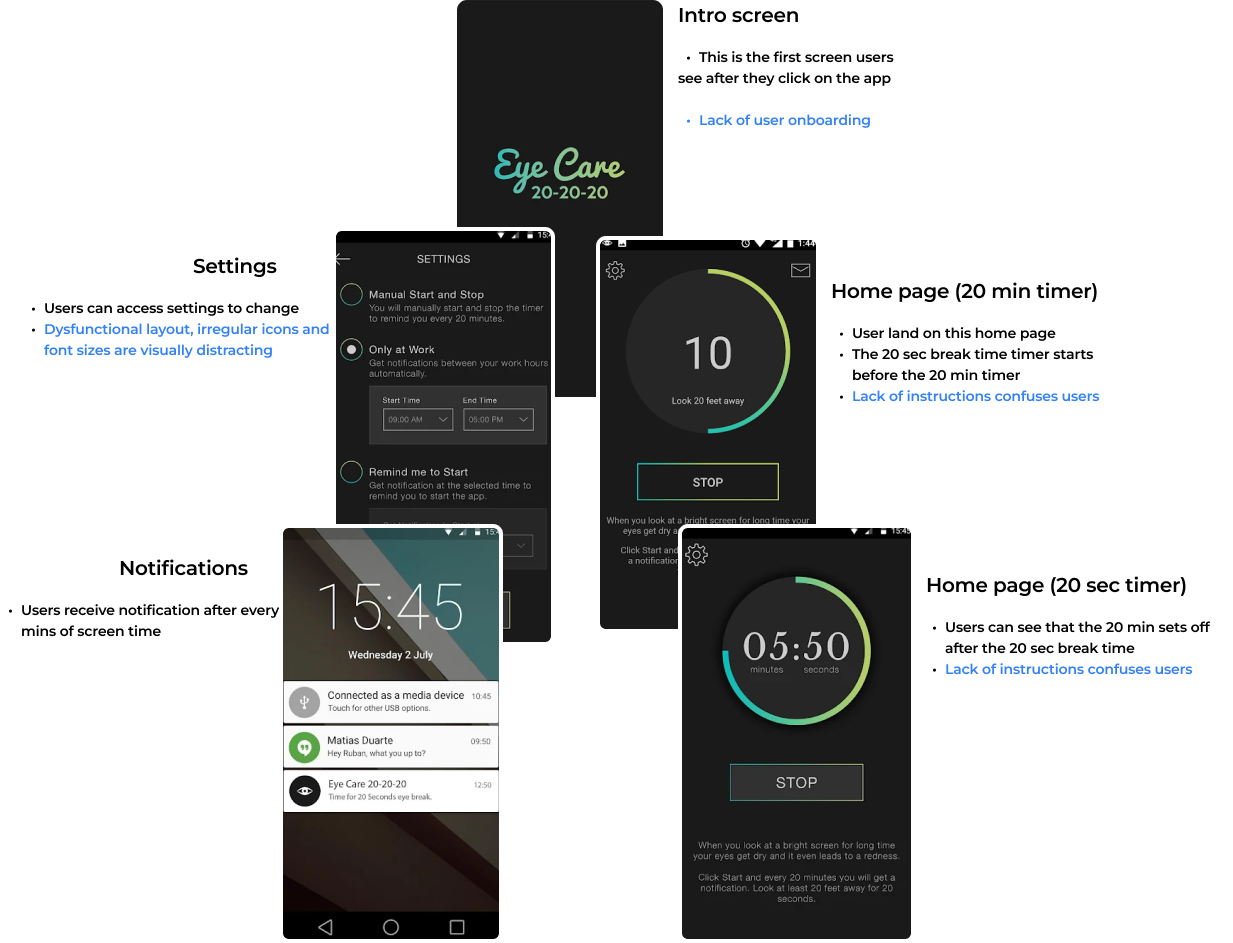
Current app audit

Competitive analysis
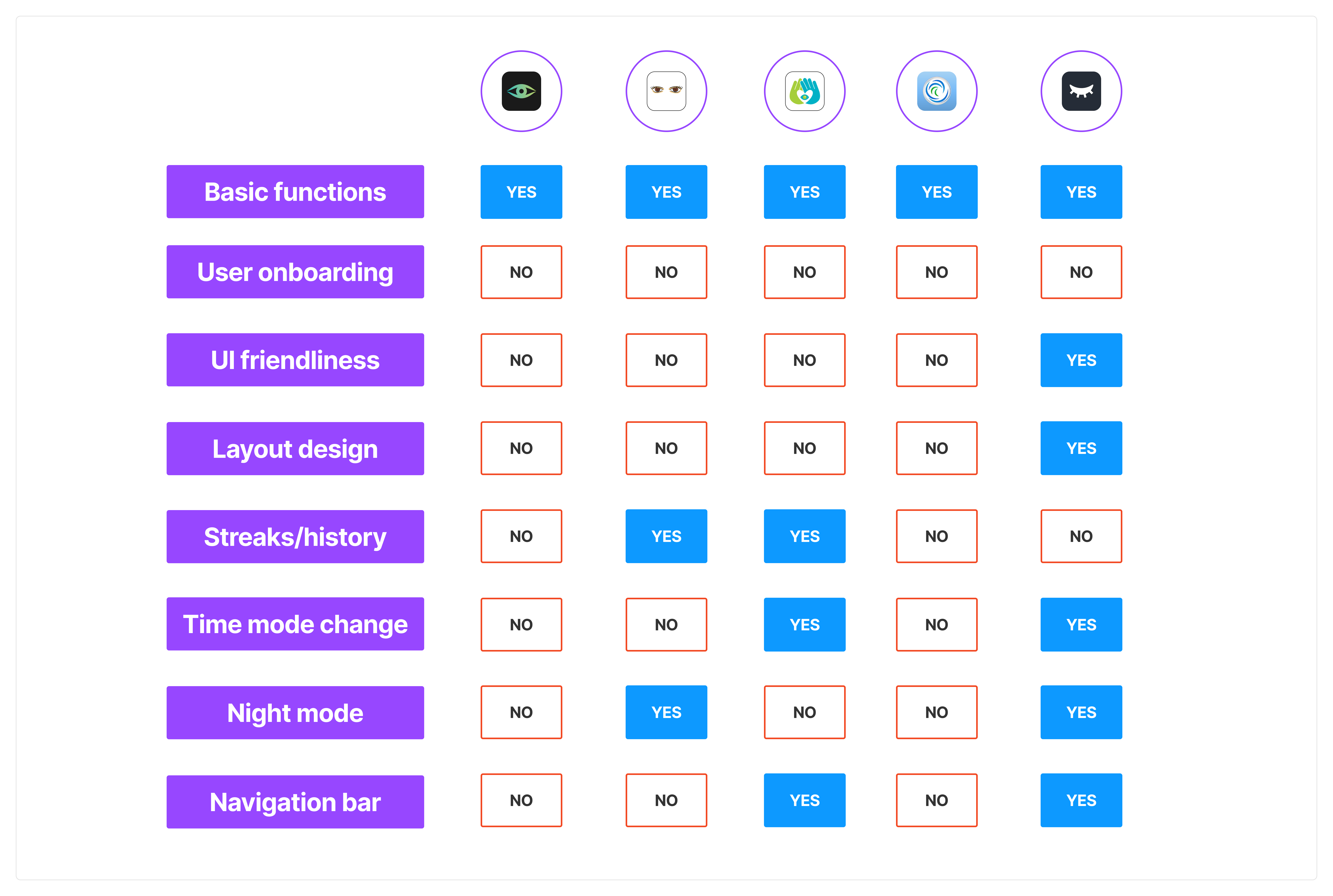
I also conducted a competitive analysis by listing all the essential features in a structured tabular format to identify the competitors and mapping out their strengths and weaknesses. Also, this helped me come up these ideas to solve problems:
- Bottom navigation bar
- Report section
Click to open
The challenges
1. How may I redesign the app to help users get a benefit-focused user experience and allow more control of the product?

2. How can I increase retention and create a more inclusive design for old and new users who may not have eye health issues?

2. IDEATE AND DESIGN

Solutions to challenge one:
UI redesign
A revamp of the user experience

UI redesign

Understanding eye problems due to long exposure to digital screens

I conducted a quick secondary research to understand our relationship with digital screens. It helped me devise ideas to redesign the app, especially targeting the necessity of the app for avoiding eye health issues.

Inspiration for UI redesign

I looked towards natural resources for UI redesign inspiration as they form a direct contradiction to digital screens—also a motivation to work towards better eye health.
Therefore, I conducted a secondary research to understand our relationship between elements of nature; this informed the UI redesign.

Why and how did I get inspired to redesign the UI?

According to my research, I found out that water plays am important for eye health. It helps avoid dry eyes - the main ailment associated with long exposure to digital screens.
A revamp of the user experience
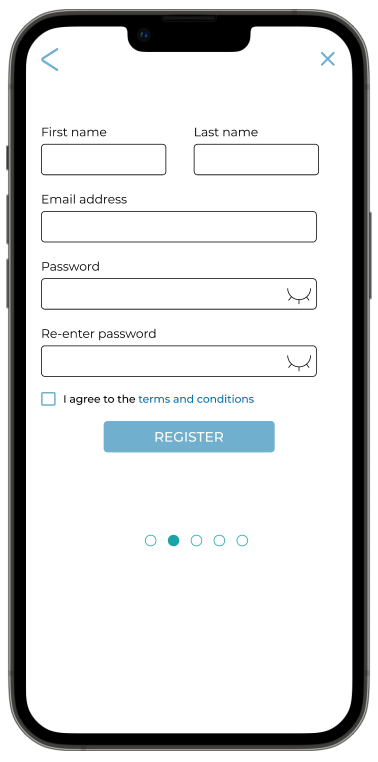
User onboarding = Accessibility to timer settings beyond 20 mins, 20 secs + automation of daily hours and weekly schedule.
The onboarding process which will help them gain proper knowledge about the product.Also, users must check their report on screen times and breaks.
Solution to challenge two:
Streaks and report
Streaks and report will help to keep users engaged. The goal of having streaks is to have users return to the app on a daily basis, while reports will provide them with an insight about engagement with their phones.

3. TEST

User Testing
I conducted a round of moderated user testing, and the key finding were:
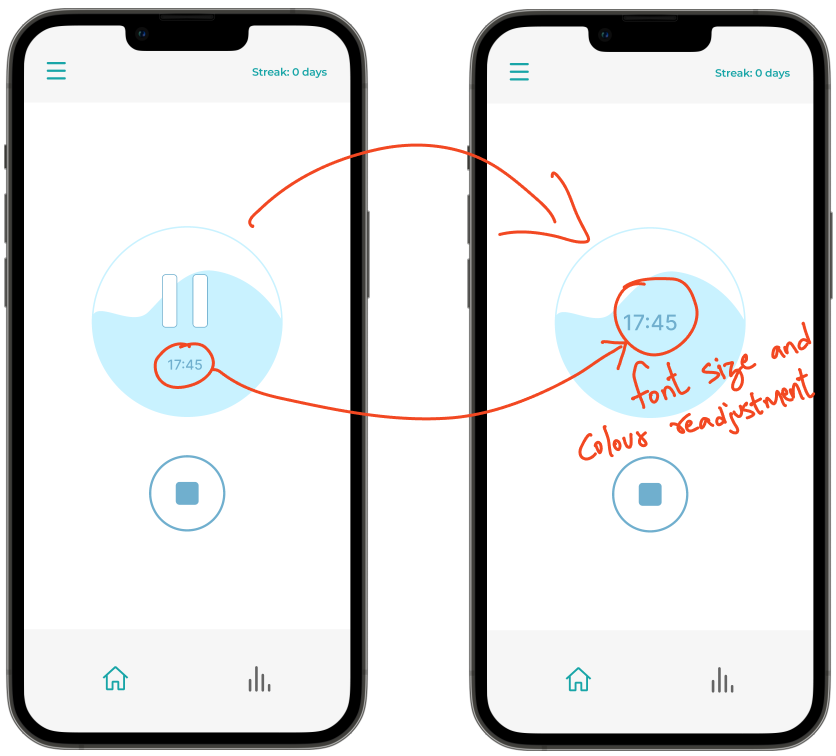
The pause button in the initial design was futile. The need for pausing the timer did not arise as users wouldn't be looking at the timer. Instead, the users reached for their phones for other purposes.
The font size and colour required readjustments as users found it challenging to read the indicated time.
Refining the design
Killing two birds with one arrow
Although subtle, I achieved my intention. I redesigned the UI to serve as a reminder to drink water as two out of 3 test participants asked, "Is the app also trying to remind me to stay hydrated?"This led to the idea of helping users with water break notifications every hour.

Final screens

Key features
1. User onboarding
2. Home screen revamp
3. Navigation bar and hamburger menu
4. Report section
5. Streaks

Prototype

Lessons learned
This was my first app redesign project. Investing more time in understanding users and other or similar apps to draw inspiration was an important lessons.I thoroughly enjoyed researching methods to redesign the application's UI. The process of finding relationships between various elements and bringing them together was a great learning experience.